Project Goal
The lab started with one simple workflow:
Web Form
   ↓
PostgreSQL
   ↓
Provisioning API
   ↓
PowerShell on DC01
   ↓
Active Directory
   ↓
Domain Authentication
A user submits a first name, last name, and username. The request enters PostgreSQL with ad_created = false. The domain controller pulls pending requests through the API, creates the account in Active Directory, and then marks the database row as successfully provisioned.
ad.homelab.internallab_accounts databaseNew-ADUser1. Active Directory Foundation
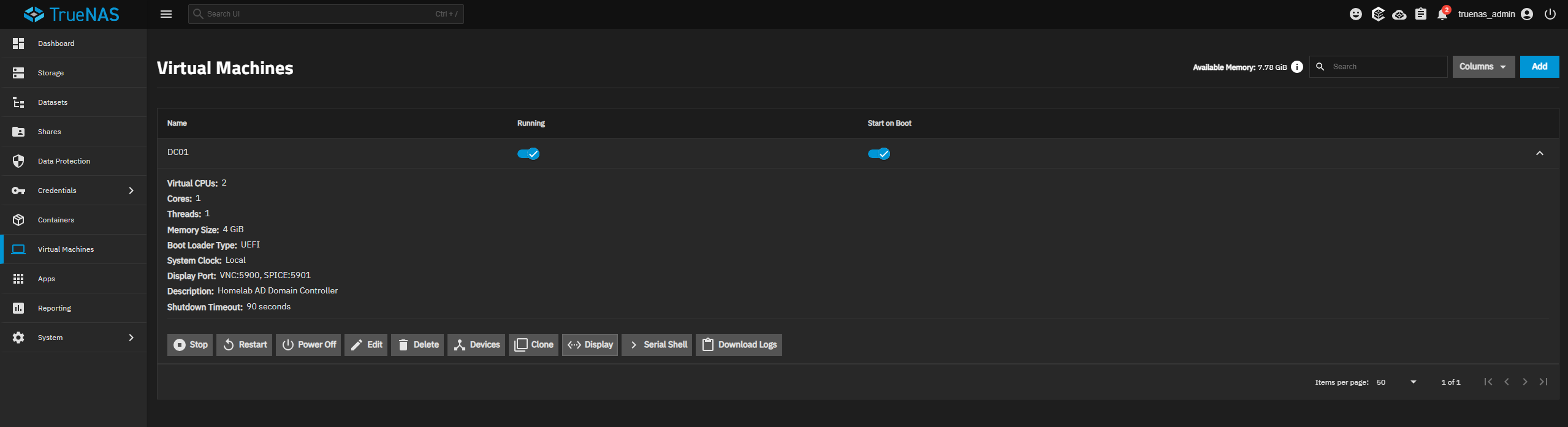
I created DC01 as a Windows Server 2025 VM in TrueNAS, assigned it the static address 192.168.1.15, and promoted it to the first domain controller in a new forest.
The new Active Directory forest uses:
Domain:       ad.homelab.internal
NetBIOS:      HOMELAB
Domain DC:    DC01
DNS:          DC01
User OU:      Lab Users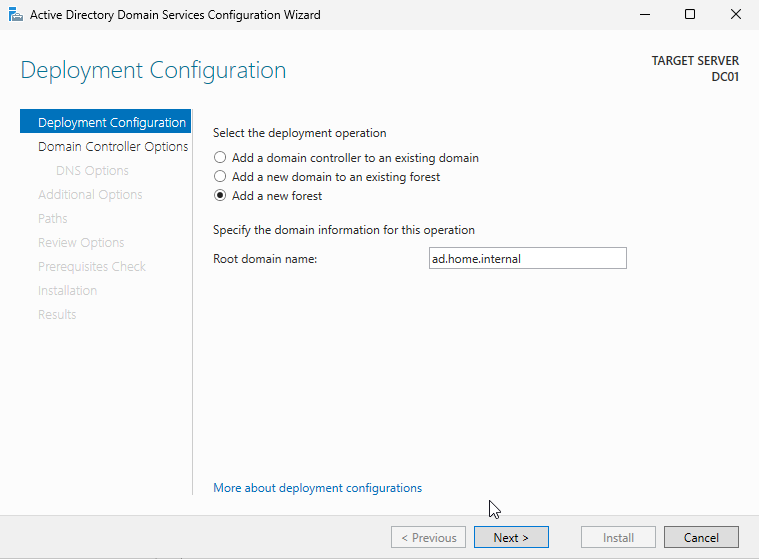
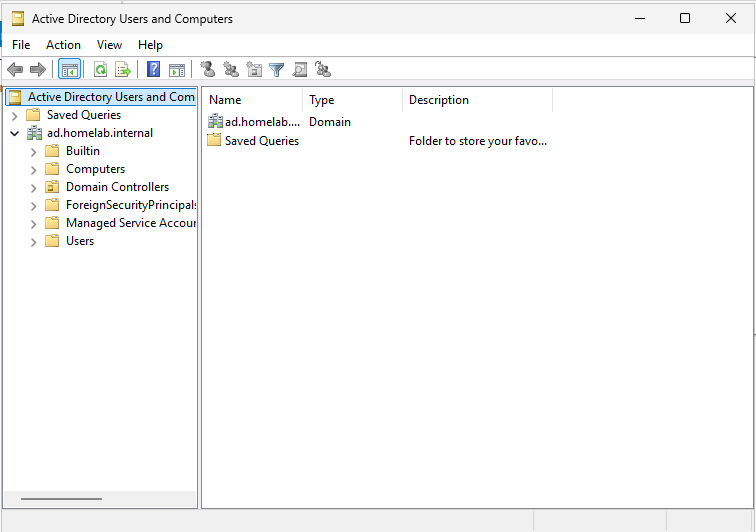
After promotion, I verified both Active Directory and DNS before creating any automation. I then created a dedicated Lab Users OU and manually created a test account to establish a known-good baseline.
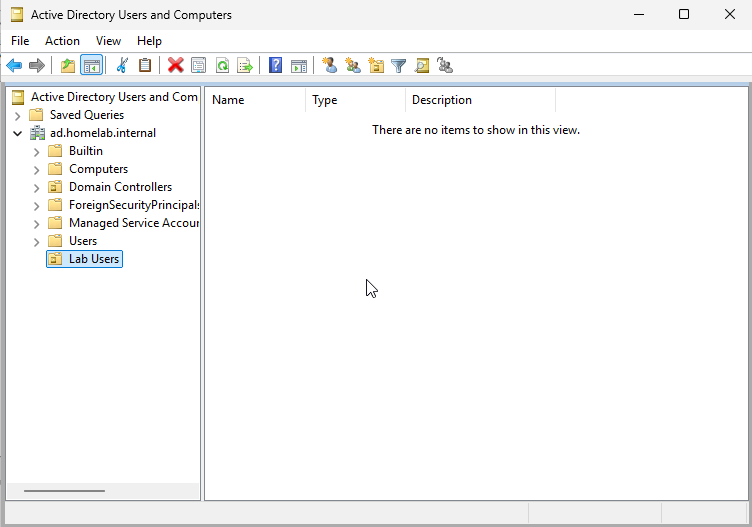
The manual user was also verified from PowerShell with:
Get-ADUser testuser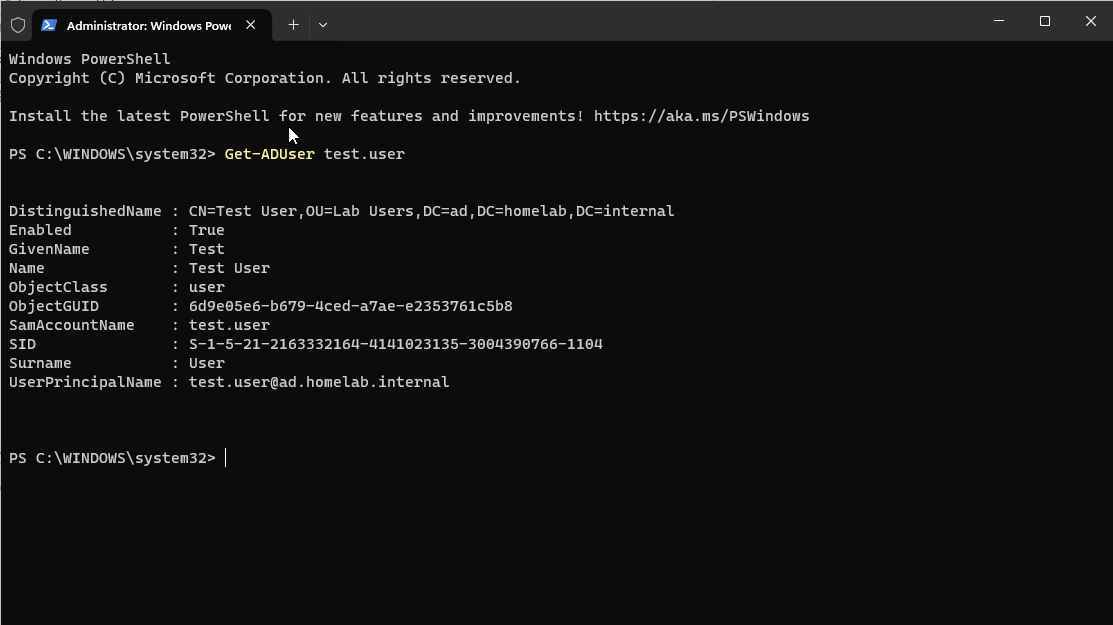
2. PostgreSQL Account State
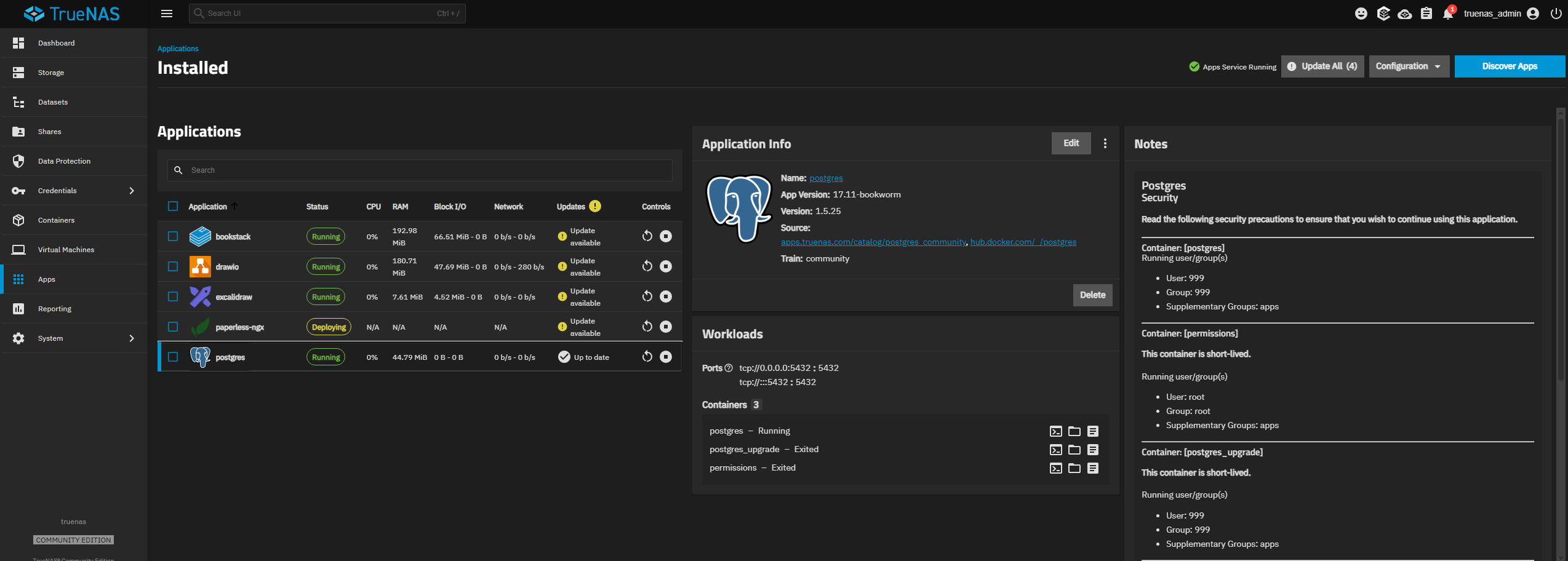
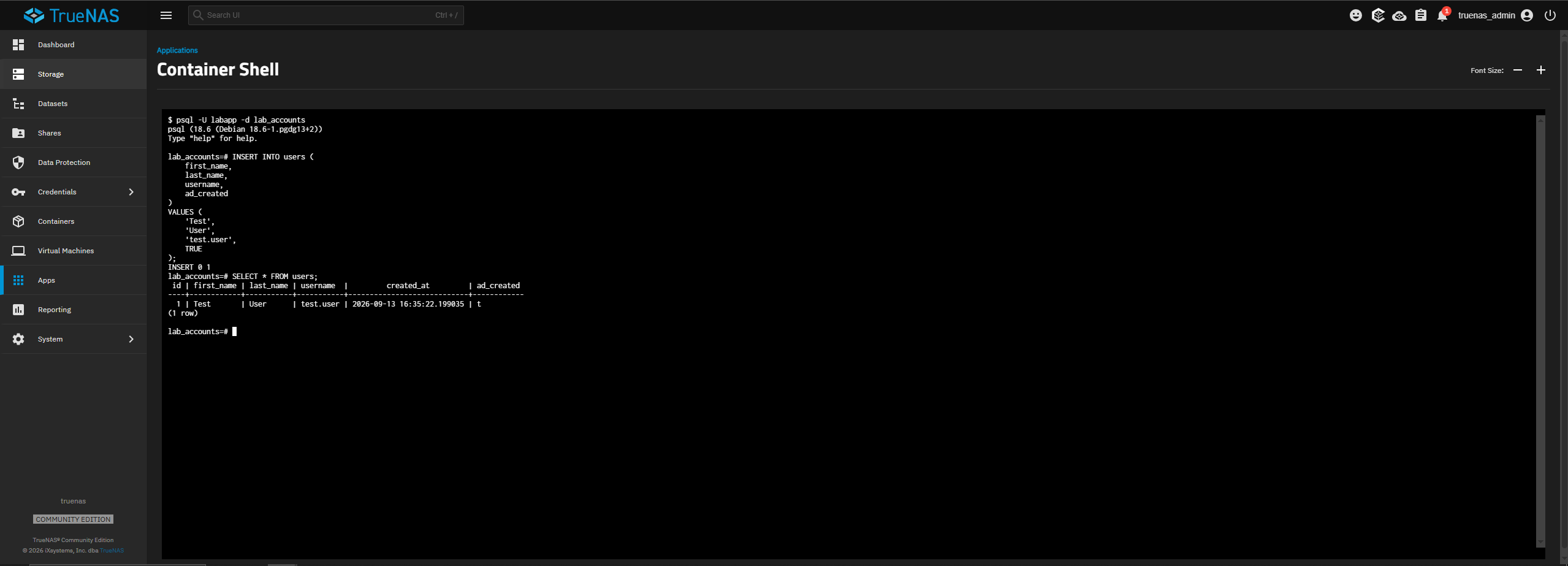
PostgreSQL runs as an application on TrueNAS. I created a small lab_accounts database with a single users table for Version 1.
CREATE TABLE users (
    id SERIAL PRIMARY KEY,
    first_name VARCHAR(50) NOT NULL,
    last_name VARCHAR(50) NOT NULL,
    username VARCHAR(50) UNIQUE NOT NULL,
    created_at TIMESTAMP DEFAULT CURRENT_TIMESTAMP,
    ad_created BOOLEAN DEFAULT FALSE
);
The ad_created field became the simple state marker for the workflow: new requests start as false, and successful provisioning changes the value to true.
| Field | Purpose |
|---|---|
first_name | User's given name |
last_name | User's surname |
username | Requested AD username; unique in the table |
created_at | Request creation time |
ad_created | Whether Active Directory provisioning completed |
3. Account Portal
I built a small Node.js / Express application and deployed it as a TrueNAS app. The portal exposes a basic browser form and writes account requests to PostgreSQL using parameterized SQL queries.
GET  /api/health
POST /api/users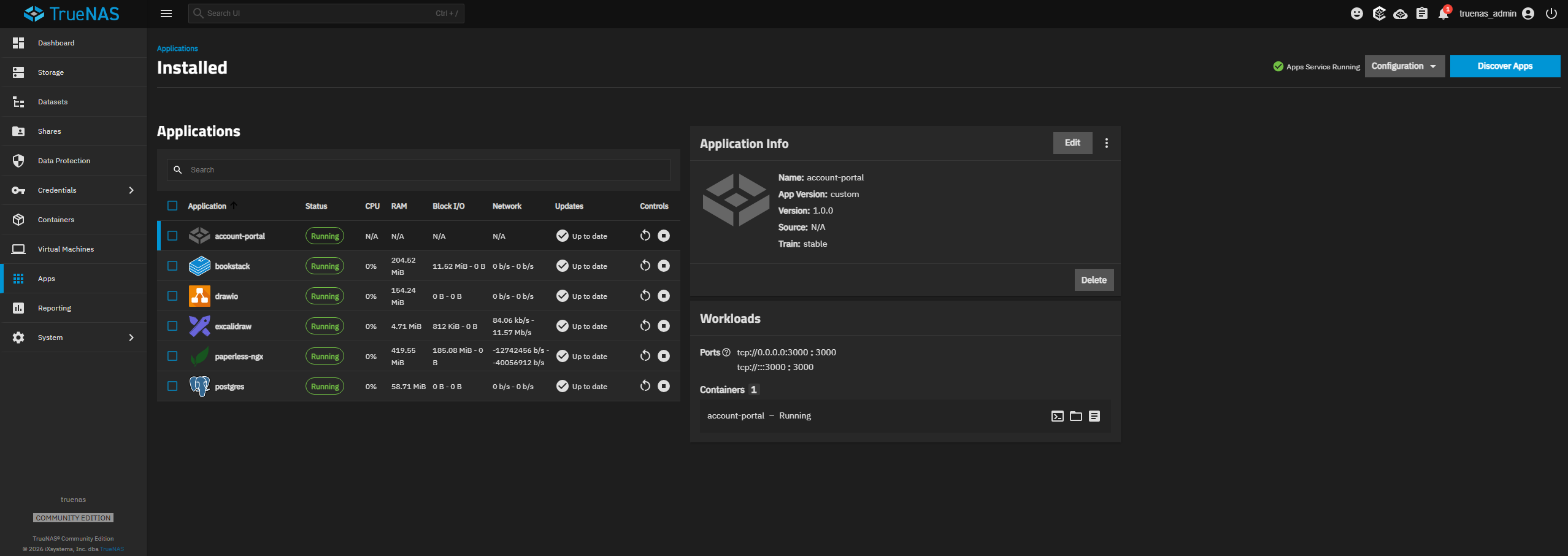

I submitted my own account through the form, then queried PostgreSQL to verify the record existed. At this point, the request had been accepted by the application but had not yet been created in Active Directory.

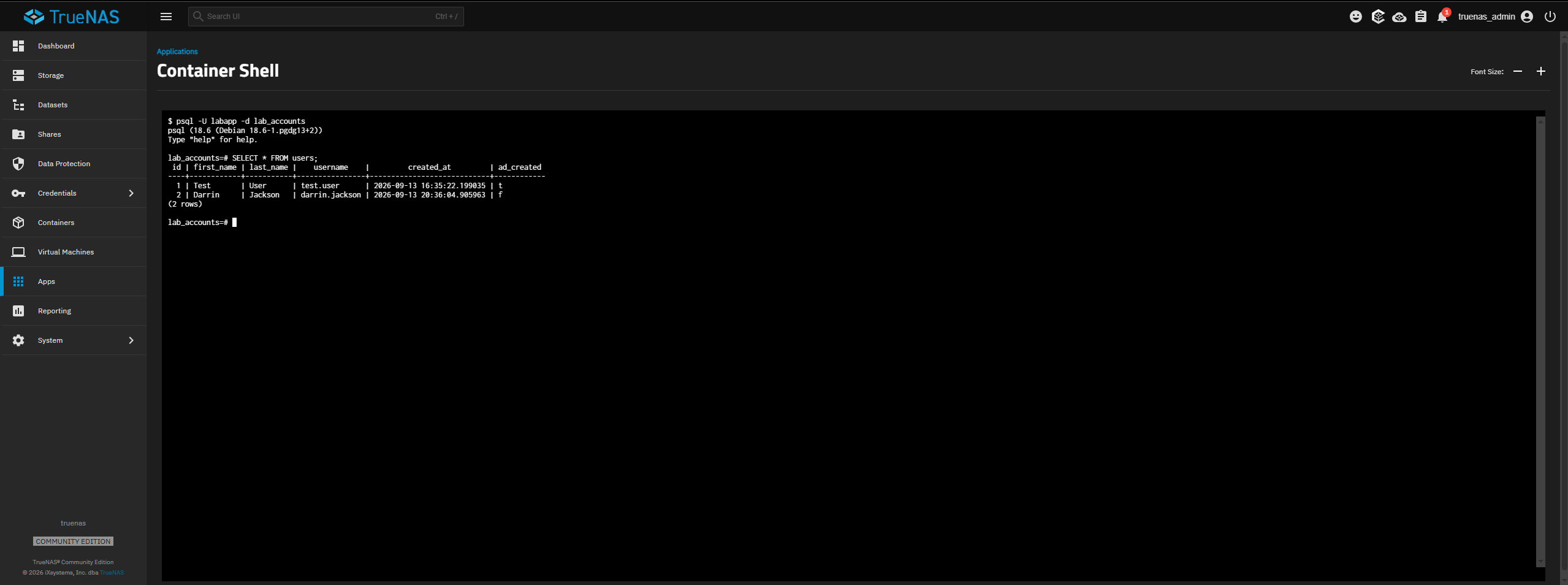
Web Form → Node / Express → PostgreSQL
                               │
                               └── ad_created = false
4. Solving VM-to-Host Networking
The first integration problem appeared when DC01 could reach the rest of the LAN but could not reach the account portal hosted directly on TrueNAS. That prevented the domain controller from consuming the provisioning API.
I resolved this by creating the br1 bridge in TrueNAS and attaching the VM network interface to it. This allowed the VM to communicate with host-based applications while remaining on the home LAN.
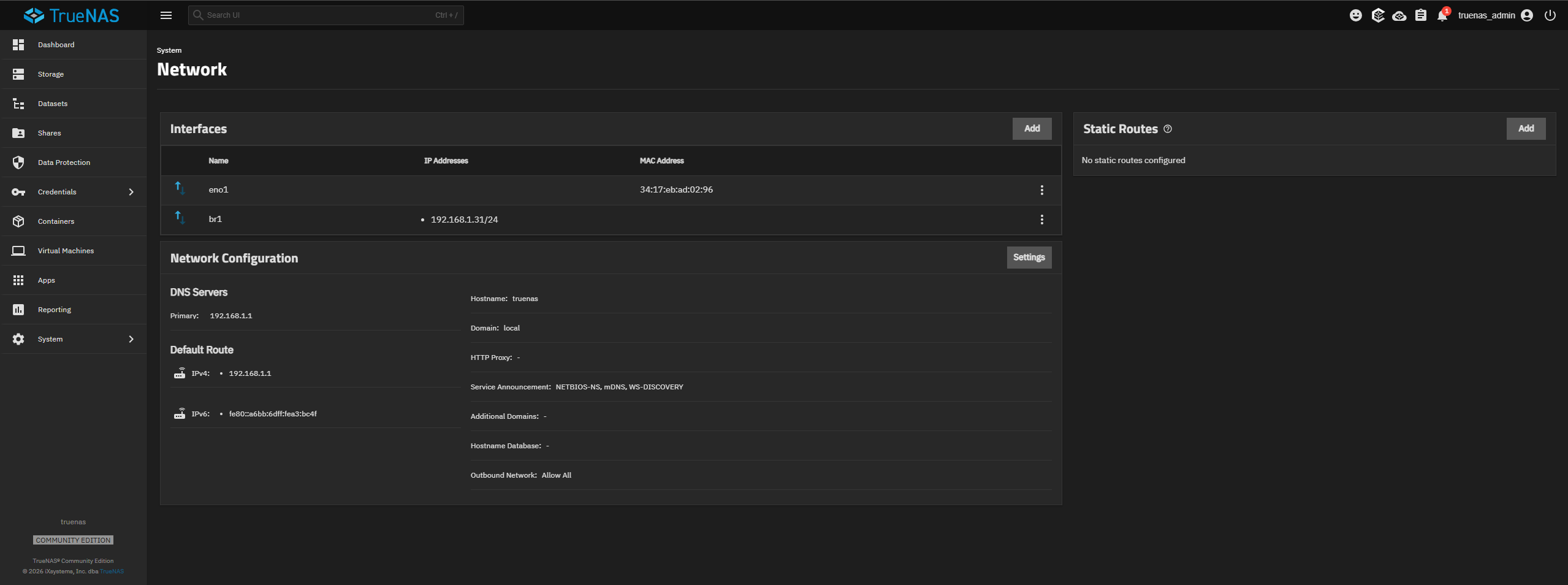
From DC01, I then verified both hostname connectivity to nas.home and the API itself:
Invoke-RestMethod -Uri "http://nas.home:3000/api/health"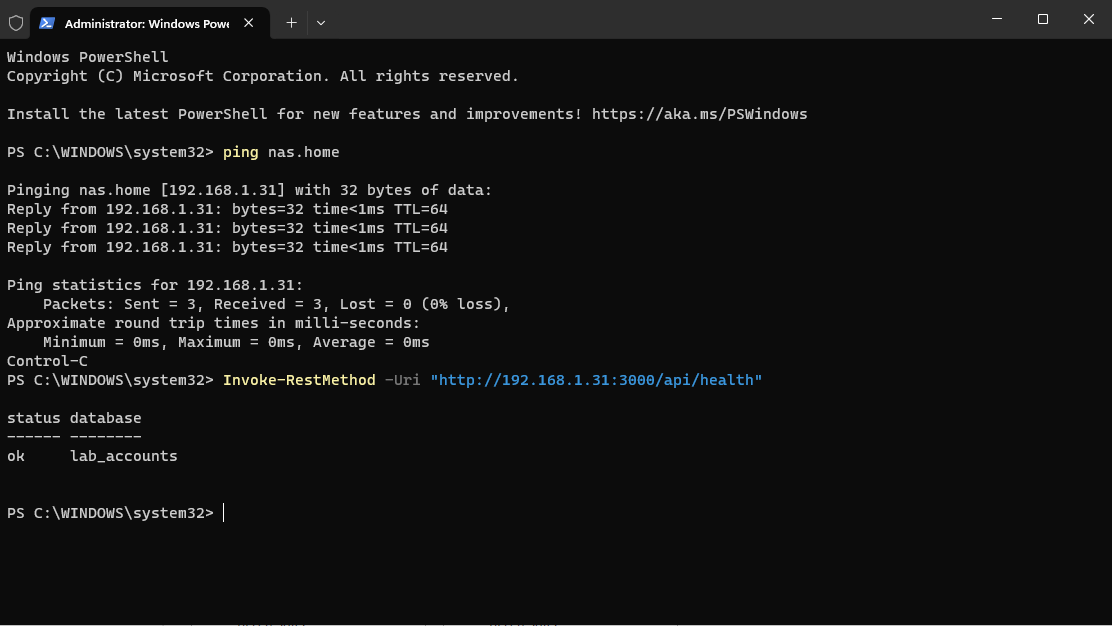
This was a useful infrastructure issue because it connected the virtualization and application sides of the lab instead of treating them as isolated systems.
5. Active Directory Provisioning
I extended the application with two provisioning endpoints:
GET  /api/provisioning/pending
POST /api/provisioning/:id/complete
The provisioning endpoints are protected with a bearer token. DC01 queries the pending endpoint for records where ad_created = false.
A PowerShell script then performs the actual identity provisioning:
- Retrieve pending users from the API.
- Check whether the username already exists in AD.
- Generate a temporary password.
- Create the user with
New-ADUser. - Place the account in the
Lab UsersOU. - Require a password change at first logon.
- Call the completion endpoint.
- Update the corresponding SQL record to
ad_created = true.
New-ADUser `
    -Name "<First Name> <Last Name>" `
    -GivenName "<First Name>" `
    -Surname "<Last Name>" `
    -SamAccountName "<username>" `
    -UserPrincipalName "<username>@ad.homelab.internal" `
    -Path "OU=Lab Users,DC=ad,DC=homelab,DC=internal" `
    -AccountPassword $SecurePassword `
    -Enabled $true `
    -ChangePasswordAtLogon $true
The provisioning token and database credentials are kept outside the write-up and screenshots. The temporary password is generated on
DC01rather than stored in PostgreSQL.
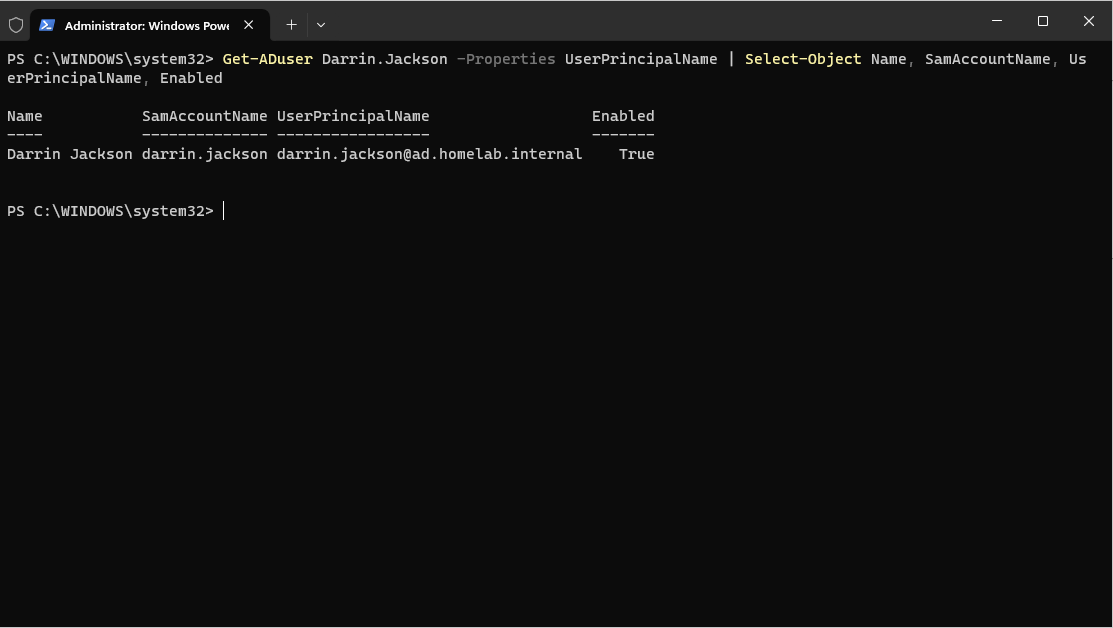
After running the provisioning script, the web-created user appeared in the target OU and could be retrieved directly with Get-ADUser.
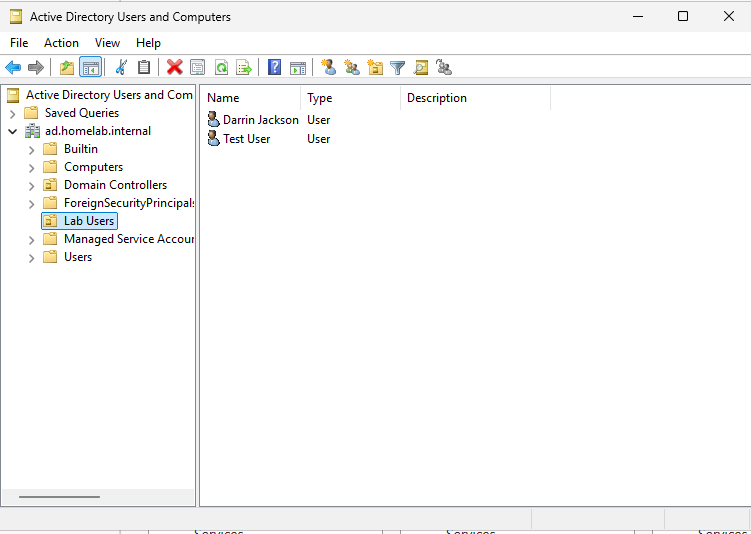
The SQL state changed at the same time:
Before provisioning: ad_created = false
After provisioning:  ad_created = true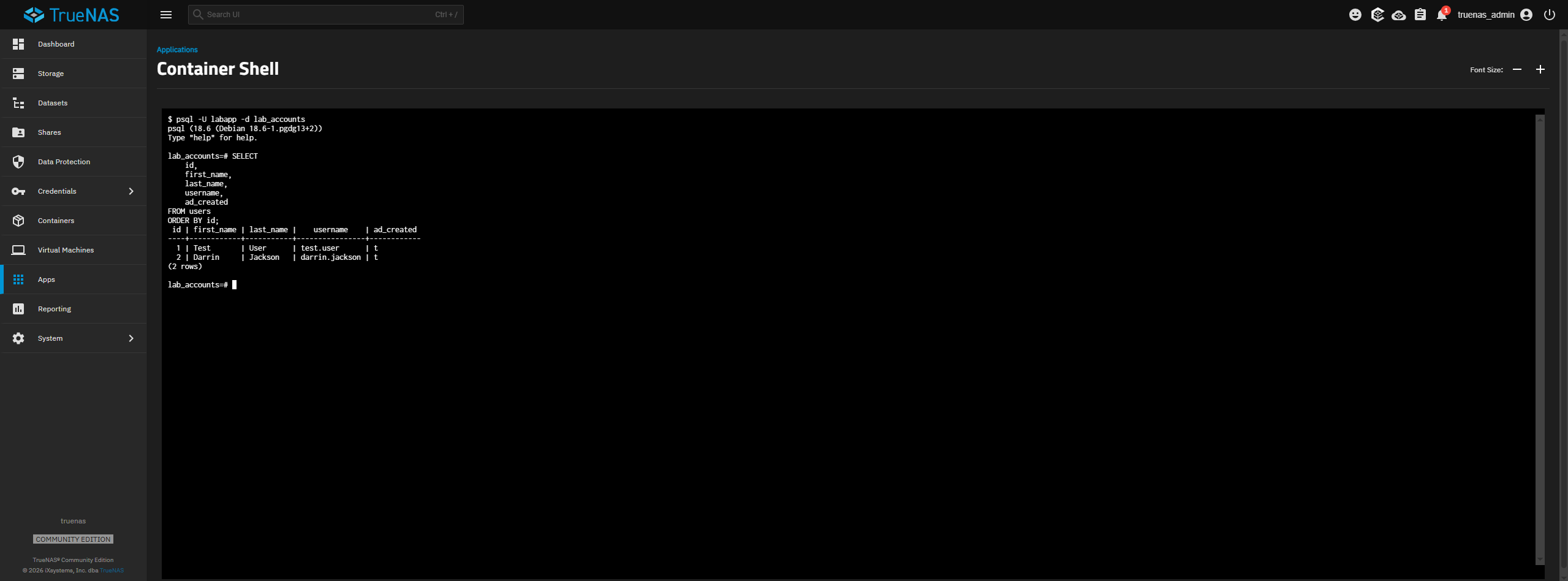
6. Authentication Test
Version 1 did not include a separate domain-joined Windows client. To prove the newly created credentials worked, I temporarily allowed the test user to log on locally to DC01, authenticated with the provisioned account, and then removed the temporary permission after testing.
This was a lab-only authentication test. A normal domain user should not ordinarily be granted interactive logon rights to a domain controller.
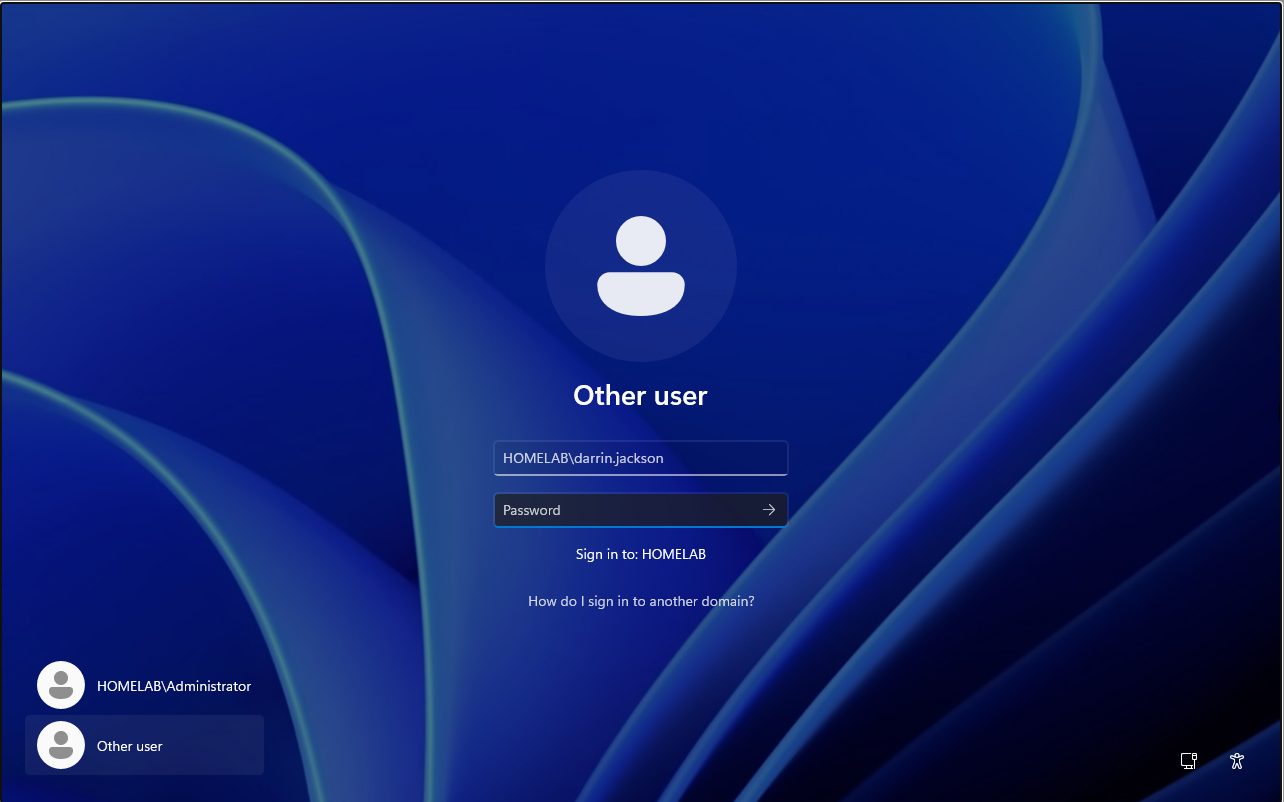
After login, whoami confirmed the session was running under the expected domain identity:
whoami

HOMELAB\<username>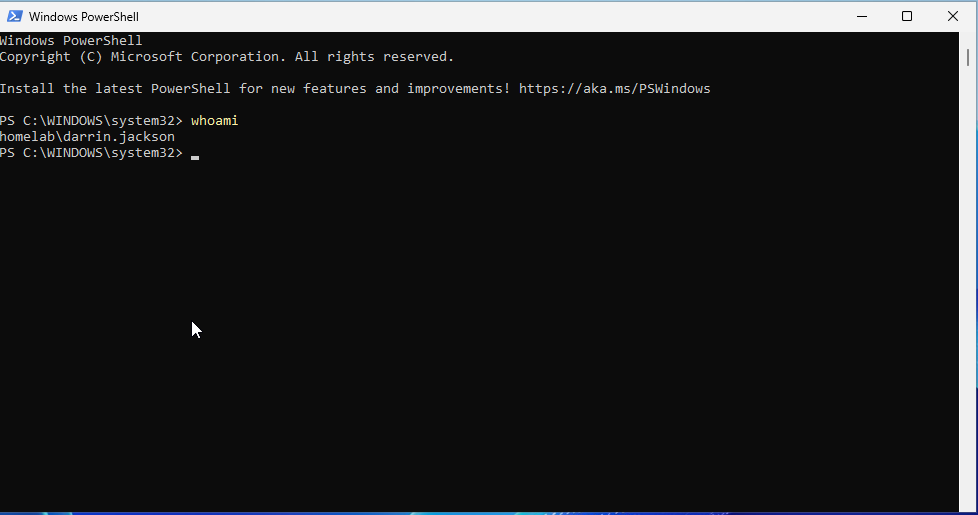
Result
Version 1 completed the full workflow I set out to build:
User submits web form
        ↓
Account request stored in PostgreSQL
        ↓
DC01 retrieves pending request through REST API
        ↓
PowerShell creates the Active Directory user
        ↓
Application records successful provisioning
        ↓
Provisioned account authenticates to the domainPossible Next Steps
The project is intentionally usable without these additions, but the same base can later support:
- Scheduled or event-driven provisioning
- Approval workflows
- Department and role fields
- Automatic AD group assignment
- Role-based access control
- Account disable and deprovisioning workflows
- Audit logging
- Domain-joined client systems
- SSO integration with additional home-lab applications